

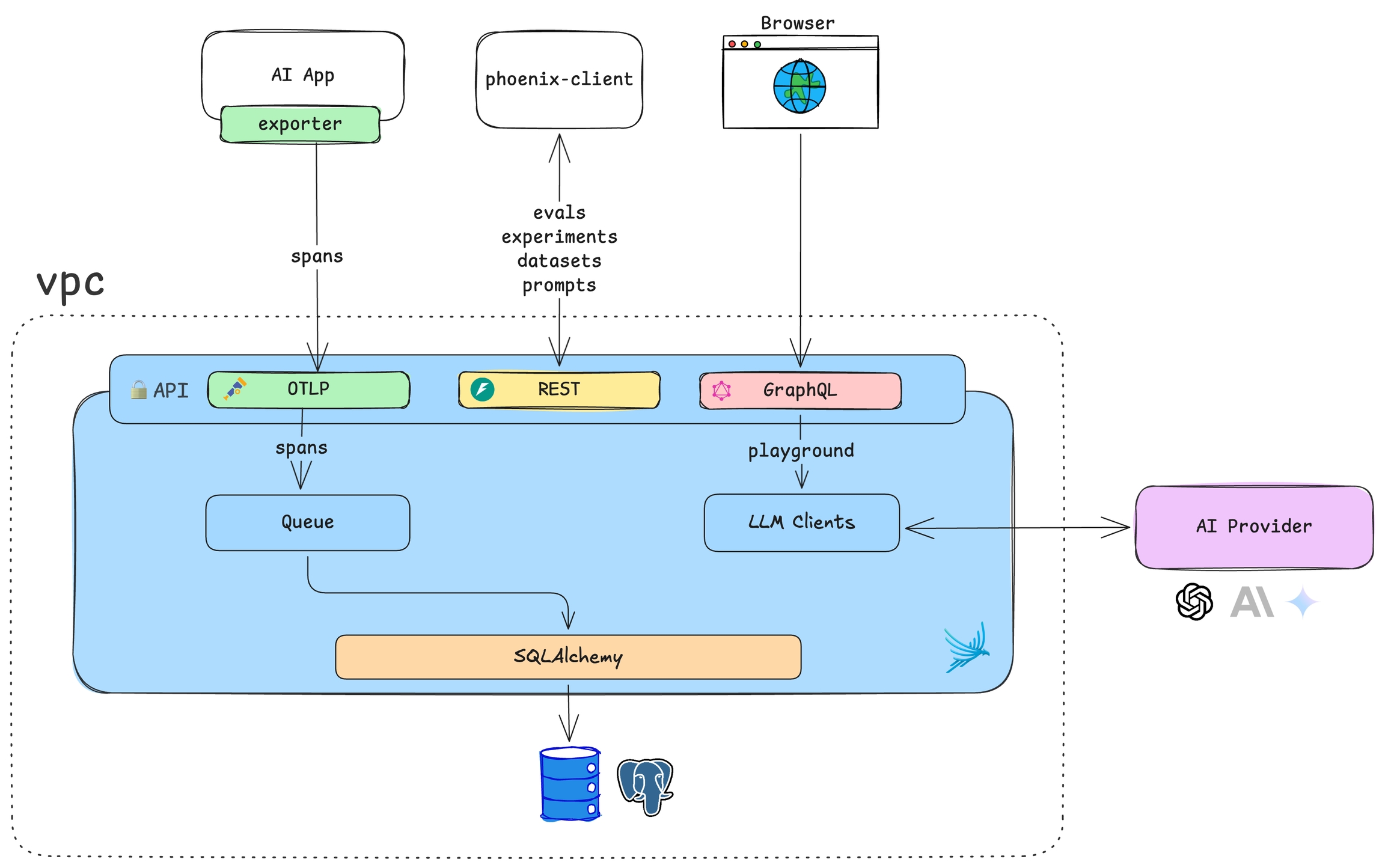
Storage
Phoenix supports two database backends. Choose based on your deployment needs:| Backend | Best For | Configuration |
|---|---|---|
| SQLite | Local development, single-user deployments | Default, no setup required |
| PostgreSQL | Production, multi-user, high availability | Set PHOENIX_SQL_DATABASE_URL |
SQLite
The default storage option. Phoenix stores data in~/.phoenix/ or the directory specified by PHOENIX_WORKING_DIR. Simple to get started—just mount a volume for persistence.
PostgreSQL
Recommended for production. Provides better performance, concurrent access, and standard database tooling for backups and replication.See the Docker deployment guide for PostgreSQL setup examples.
Tenancy
A single Phoenix instance represents one tenant. All data within an instance—projects, traces, datasets, experiments—is accessible to users based on their role-based access controls. This single-tenant model keeps deployments simple with clear data isolation boundaries. For multi-team scenarios, deploy multiple Phoenix instances.When multiple teams rely on the same system and need isolation, Arize AX provides multi-tenancy via organizations and spaces.
Scaling
Phoenix scales horizontally by deploying multiple instances. This enables both performance scaling (multiple instances sharing load against one database) and organizational scaling (separate instances for different teams or environments).Performance Scaling
Deploy multiple Phoenix instances behind a load balancer, all connected to the same database:Environment Isolation
Deploy separate instances with independent databases for complete data isolation:Schema Isolation
Share a single database while isolating data using PostgreSQL schemas: Configure with PHOENIX_SQL_DATABASE_SCHEMA. See PostgreSQL schemas for more details.Deployment Scenarios
Phoenix’s lightweight footprint supports various deployment patterns:| Scenario | Description | Use Case |
|---|---|---|
| Environment-based | Separate instances for prod, staging, dev | Isolate production data from development |
| Per-developer | Each developer runs their own local instance | Rapid iteration without affecting shared environments |
| Application sidecar | Phoenix deployed alongside your app in the same pod | Simplified networking and lifecycle management |
| Centralized | Single instance for an entire team | Unified view across all applications |
Future: Resource Tags
Resource tags for fine-grained access control within a single tenant are planned for later in 2026. This will enable permissions scoped to specific projects, datasets, or experiments.Follow GitHub issue #10504 for updates on group-based multi-tenancy.